Blocking spam with a captcha
Sooner or later, bots find every form on the internet. To keep them out, Forwarder.cc works with hCaptcha and Google reCAPTCHA (v2, checkbox or invisible).
1. Get your keys
Create a site on hCaptcha or reCAPTCHA, with your website's domain. You get two keys: a site key, which goes in your page, and a secret key, which goes in Forwarder.cc.
2. Add the captcha to your form
For hCaptcha:
<script src="https://js.hcaptcha.com/1/api.js" async defer></script>

<form action="https://fwdr.io/f/YOUR_TOKEN" method="POST">
  <!-- Your fields -->
  <div class="h-captcha" data-sitekey="YOUR_SITE_KEY"></div>
  <button type="submit">Send</button>
</form>
For reCAPTCHA:
<script src="https://www.google.com/recaptcha/api.js" async defer></script>

<form action="https://fwdr.io/f/YOUR_TOKEN" method="POST">
  <!-- Your fields -->
  <div class="g-recaptcha" data-sitekey="YOUR_SITE_KEY"></div>
  <button type="submit">Send</button>
</form>
Once solved, the captcha adds a field to your form (h-captcha-response or g-recaptcha-response). We check it with the captcha service, then remove it from the message.
3. Turn it on in Forwarder.cc
Open your form, click the gear icon next to its title, choose the Captcha service and paste your secret key. Then save:
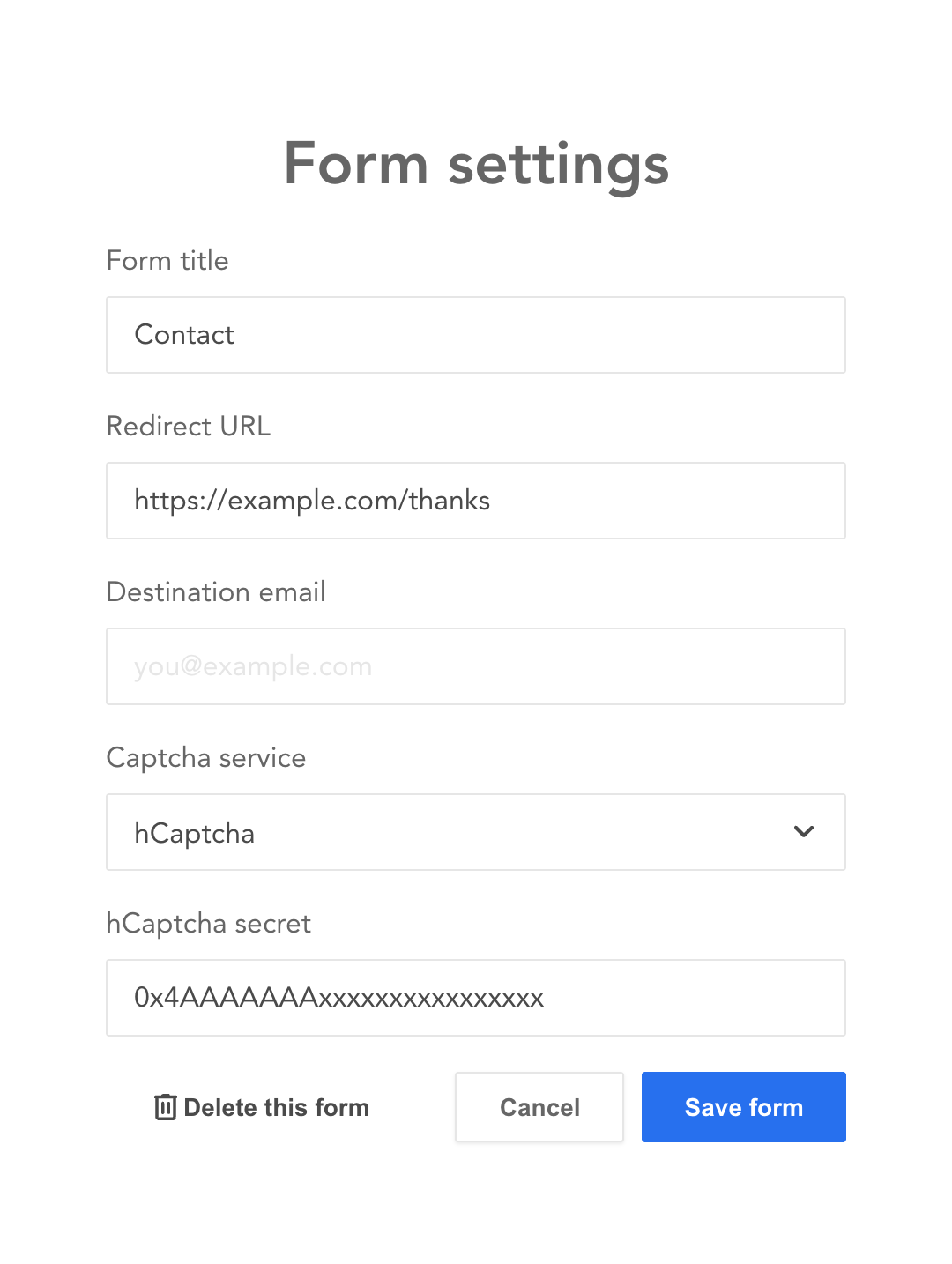
Do it in that order: as soon as the captcha is on, every message without a valid captcha is thrown away, including the ones sent from a page that doesn't have it yet.
What happens to spam
Messages that fail the captcha are deleted: you don't get them, and they don't cost you any credit. The bot still lands on your redirect URL, so it doesn't learn anything.
And if the captcha service is down when a message arrives, we let it through. Better a bit of spam than a lost message.